A customer searches for your service, finds your business in Google Maps, and sees an old phone number or former address on another directory. That small mismatch can cost you a call before you ever get the chance to earn the job. Knowing how to fix local citation errors protects the information customers rely on and gives Google clearer signals about where, when, and how your business operates.
For a busy owner, citation cleanup can feel like tedious admin work. But it has a direct purpose: helping the right local customers find accurate business details, take action, and choose you over a competitor with a cleaner online presence.
What Counts as a Local Citation Error?
A local citation is any online mention of your business name, address, phone number, website, hours, or categories. Common examples include map platforms, industry directories, chamber listings, review sites, social profiles, data aggregators, and local publications.
The core information is often called NAP: name, address, and phone number. Google does not require every listing to use identical punctuation or abbreviations. “Suite 200” versus “Ste. 200,” for example, is usually not a crisis. The problem is meaningful inconsistency that makes customers or search engines question whether two profiles represent the same business.
Citation errors often include a previous address after a move, an outdated tracking number, a misspelled business name, duplicate listings, the wrong website URL, closed holiday hours, or an incorrect business category. Service-area businesses also run into trouble when directories publish a home address that should not be public.
Why Citation Problems Can Hurt Local Visibility
Local SEO is built on trust and relevance. Google gathers information from many sources to understand a business and decide when it belongs in local results. When your profiles conflict, Google may have less confidence in the details it displays. More importantly, customers can lose confidence fast.
The impact depends on the error. An old listing on a low-traffic directory is less urgent than a wrong phone number on Apple Maps, Bing, Yelp, Facebook, or a major industry platform. A duplicate Google Business Profile can be especially damaging because it can split reviews, confuse customers, and create management problems.
Citation cleanup is not a shortcut to the top of the map pack. Strong rankings still depend on your Google Business Profile, website quality, reviews, proximity, competition, and local relevance. It is foundational work. If the foundation is messy, other marketing efforts have less room to perform.
How to Fix Local Citation Errors Step by Step
The best approach is systematic. Do not start changing listings one by one without documenting what you find. That can create new inconsistencies and make it harder to verify the work later.
Establish one correct business record
First, create a master record for your business. This is the source of truth you will use for every profile. Include your legal or customer-facing business name, public address if applicable, main local phone number, website URL, hours, business description, primary category, secondary categories, service areas, and social handles.
Use the version of your name that customers actually recognize. Do not add extra keywords such as “Best Plumber in Dallas” unless that wording is genuinely part of your registered, real-world business name. Keyword stuffing your business name can trigger Google Business Profile issues and makes consistency harder to maintain.
For businesses with multiple locations, make a separate master record for each location. Each office should have its own correct phone number, landing page, hours, and address. Avoid sending every location listing to the homepage when a relevant location page is available.
Audit the listings that matter most
Search for your business name, phone number, current address, old addresses, and common misspellings. Search Google Maps as well as regular Google results. You are looking for listings you control, duplicates you may have forgotten, and profiles that were created automatically from public data.
Start with the platforms customers use most, then work outward. Your priority order should usually be:
- Google Business Profile and Google Maps
- Apple Maps, Bing Places, Facebook, Yelp, and major navigation platforms
- Industry-specific directories customers use to choose providers
- Local chambers, associations, and city or neighborhood directories
- Smaller directories and data sources that may feed other platforms
Document each listing in a spreadsheet with the platform name, profile URL, current information, correct information, account access status, action needed, and completion date. This keeps the project organized and creates a useful record when a profile changes unexpectedly later.
Correct owned profiles first
Claim or verify profiles that you can legitimately manage. Update the business information to match your master record, then check every customer-facing field, not just NAP. Hours, categories, service areas, website links, appointment links, photos, and descriptions all affect whether a customer can confidently contact you.
Be careful with phone numbers. Call tracking can be useful, but your main business phone number should remain prominent and consistent across your primary profiles. If you use tracking, configure it carefully so customers and search engines can still associate the listing with your real local number.
For Google Business Profile, make changes deliberately. A major edit to your name, address, or category can trigger reverification. That is normal, but it means you should have current documentation ready and avoid making a string of unnecessary changes at once.
Find and remove duplicate listings
Duplicates are not always exact copies. One profile might use an old address, a shortened business name, or a former phone number. Check whether reviews are attached to either version before requesting removal, because deleting the wrong profile can mean losing valuable social proof.
When possible, request a merge rather than a deletion for duplicate profiles with legitimate reviews. If a listing represents a closed former location, mark it permanently closed only when that is accurate. Do not label an active location as closed just to make a duplicate disappear.
For directories you cannot access, use their correction or support process. Keep screenshots and confirmation emails. Some changes appear quickly; others take weeks, especially if the directory receives data from a third-party source.
Handle Service-Area Businesses With Extra Care
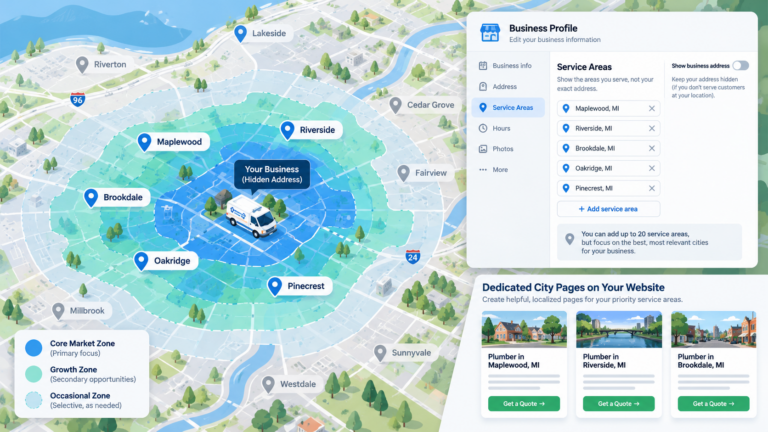
If you travel to customers rather than serve them at a storefront, your listing setup needs special attention. Google Business Profile allows eligible service-area businesses to hide their address and show service areas instead. Publishing a residential address or virtual office where customers cannot visit can lead to visibility problems and customer frustration.
Use realistic service areas based on where you can actually serve customers profitably. Naming every nearby city may look tempting, but it does not create local relevance by itself. Your website, reviews, location-focused content, and actual customer footprint still need to support the areas you want to reach.
Prevent New Citation Errors From Returning
A one-time cleanup is valuable, but business information changes. A new suite number, seasonal schedule, rebrand, website migration, or phone-system update can create errors across dozens of profiles in a few days.
Make citation management part of your operating process. Before announcing a move or changing a number, update your master record and make a prioritized list of profiles to change. Review your major listings quarterly, and immediately after any material business change. Multi-location companies should assign clear ownership so local managers do not create unapproved listings or change details without coordination.
Also watch for user-suggested edits. Map platforms sometimes accept customer or competitor suggestions, and those edits are not always correct. A periodic check can catch a changed category, altered hours, or incorrect location pin before it becomes a lost lead.
When Professional Citation Cleanup Makes Sense
Some businesses can handle a small cleanup internally, especially when they have one location and only a handful of inaccurate listings. The trade-off is time. Tracking access, confirming duplicates, contacting directory support, and monitoring changes can become a distraction from serving customers.
Professional help is often worthwhile after a move, rebrand, merger, franchise expansion, or prolonged period of inconsistent information. It is also useful when your Google Maps visibility is underperforming and you need to rule out foundational problems before investing more heavily in content, reviews, or local link building.
A credible local SEO partner should explain what is wrong, prioritize the fixes that matter, and report on completed work. You should not have to guess whether activity is producing a cleaner search presence or more opportunities to be found.
Accurate citations will not replace great service, but they make sure a customer who is ready to call can reach the right business. Clean up the high-impact errors first, keep one reliable source of truth, and treat every listing as a live doorway to your next local lead.